- MTG Doctor - News
- Posts
- DevLog #12 - Diagnose Deck
DevLog #12 - Diagnose Deck
MTG Doctor's diagnostics experience.

Game Developers Guild
December 05, 2025
Welcome to our DevLog for MTG Doctor Phoenix, the next generation of MTG Doctor. If you’ve been a member of the MTG Doctor community all these years, thank you for your support and if you are not familiar with MTG Doctor thanks for taking the time to read our log. This time we are introducing all the new experiences coming to the diagnostics features available in MTG Doctor.
Re-Design Motivation
For the “Diagnose” feature re-design we wanted to take the chance to improve on many of the points that had become apparent over the last decade to us:
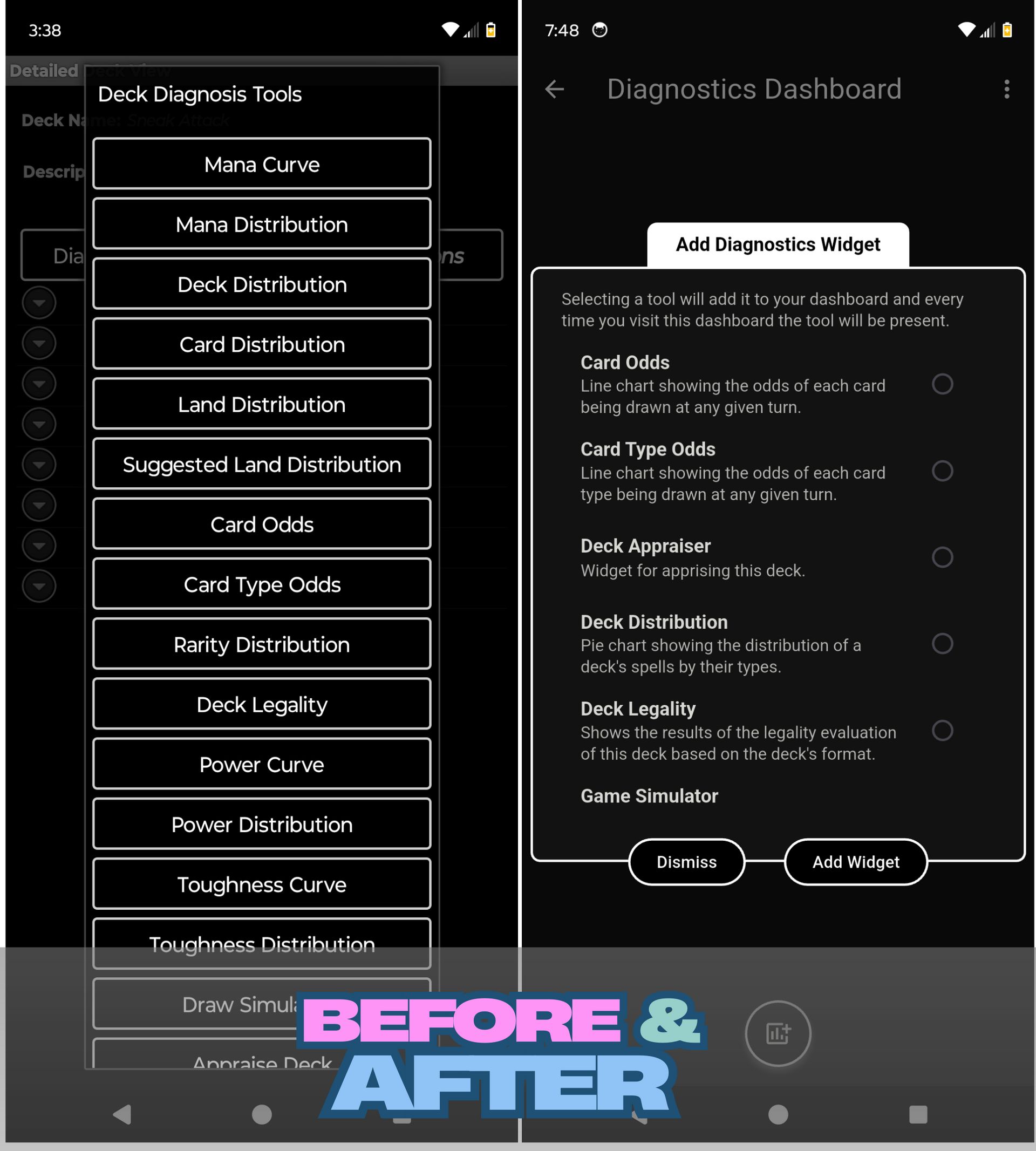
Glanceability: We wanted to provide more information about the individual diagnostic tools that was available at a glance.
Lack of Intuitiveness: The original version placed many of the powerful features of each diagnostic tools behind a long-press action without much visual indication which made them invisible to many player so we wanted to make these features more evident.
High Interaction Cost: Running diagnostics on a given deck required navigating to each diagnostics tool one by one. During this re-design we wanted to make all that information accessible in as few interactions as possible.
Diagnostics Dashboard
For this new version, we have created what we call the Diagnostics Dashboard a single place where all of the diagnostics can be quickly accessed. This dashboard is fully customizable on a per-deck basis allowing us to have only the diagnostics we most commonly use and none that we don’t.
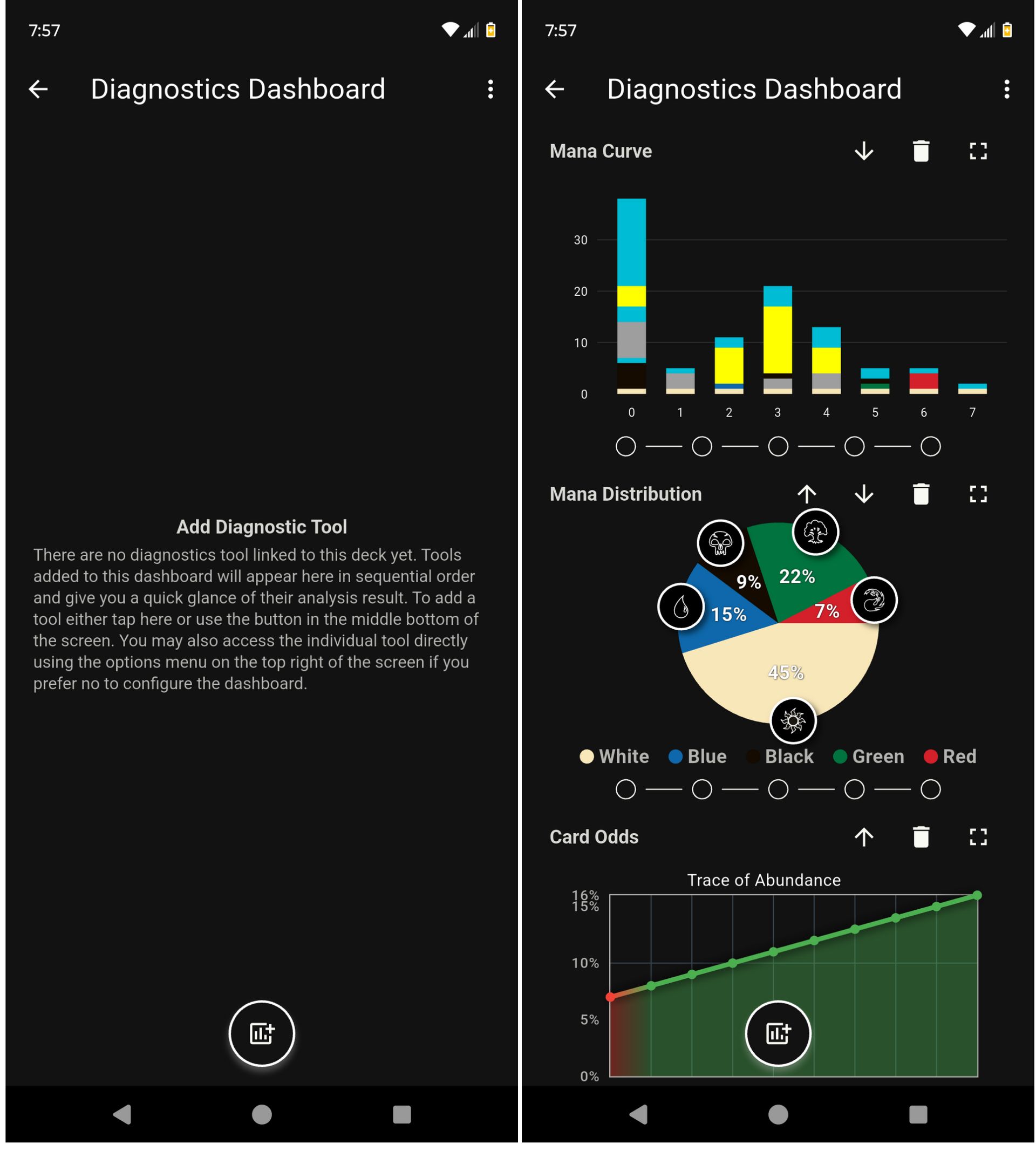
We also added more information about each of the diagnostics tools to better convey what their purpose is. This was a big improvement from the original design in which we only had the name of the specific tool.
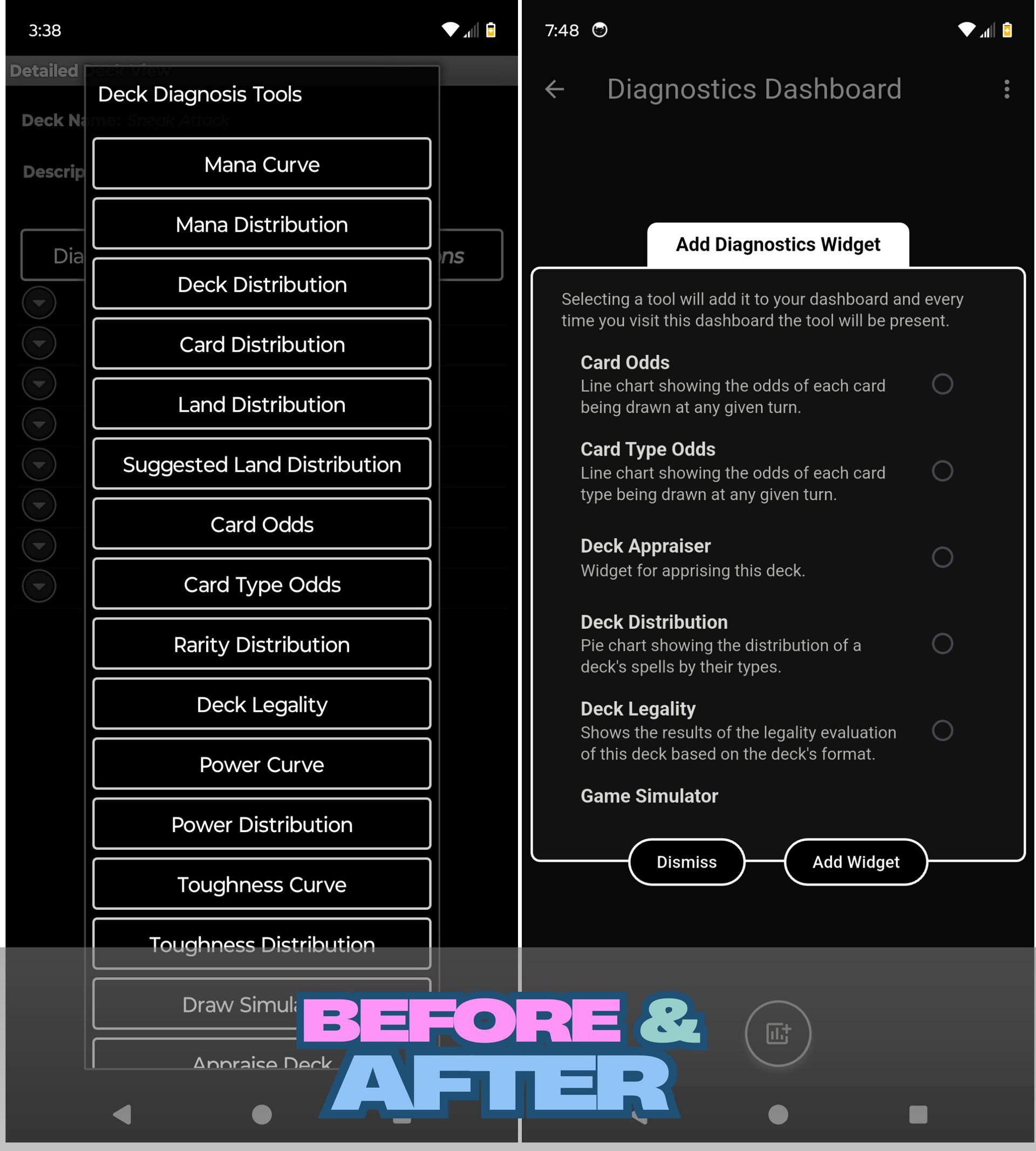
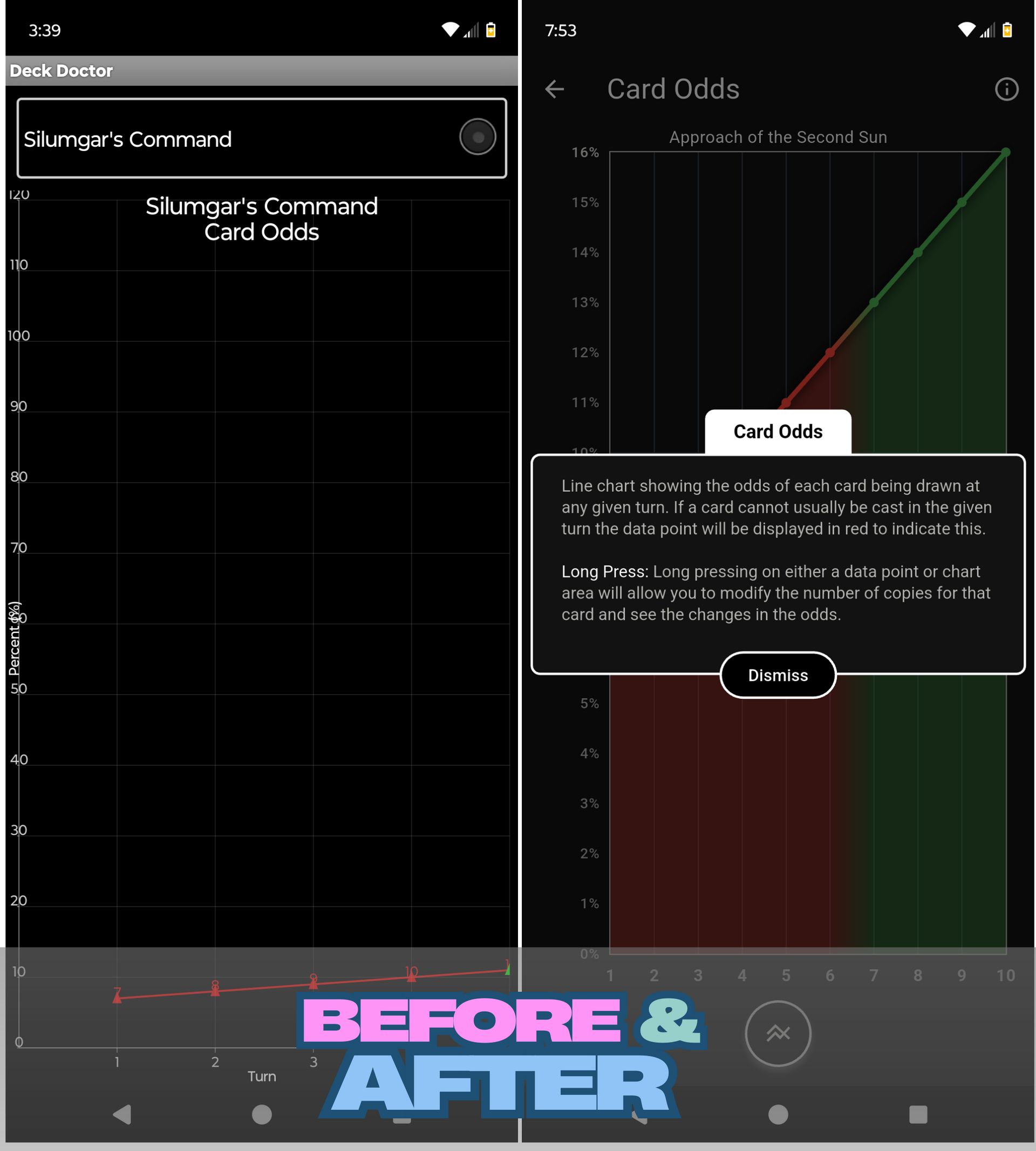
Each of the diagnostics widgets now include additional information including information about features that exist behind a long-press. This further improves the visibility of this features. And for widgets where there is an additional action like selecting a specific card in the case of Card Odds we moved that action into the center-bottom of the screen making the execution of that action more accessible while using the device one handed regardless of whether you are left handed or right handed.
There are 14 diagnostics tool available in MTG Doctor and if we were to share their before and after it would make this log too long to enjoy so we’ll be focusing on the tools that experienced the biggest improvements starting with the game simulator and have you experience the rest once the release is out.
Game Simulator
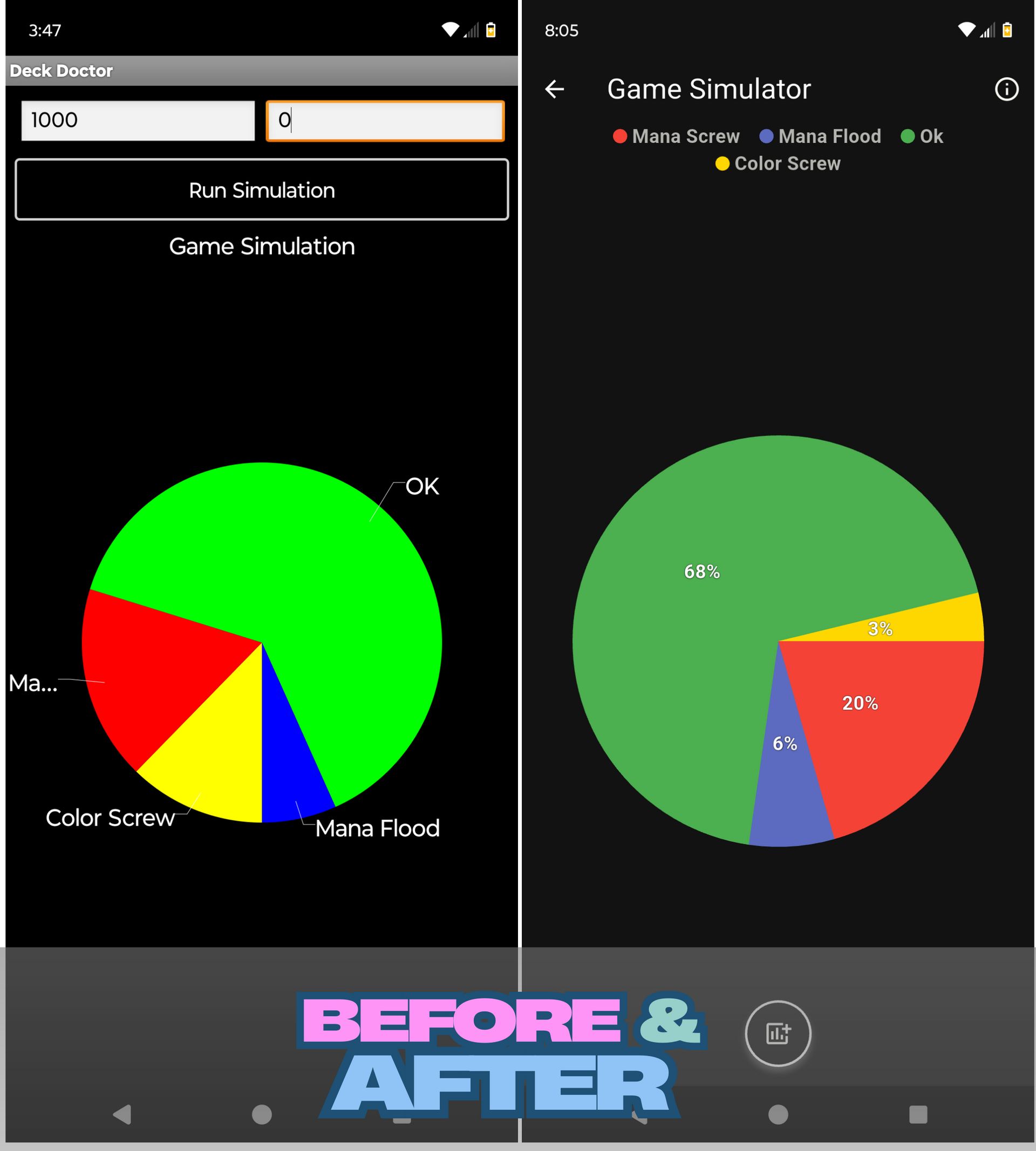
For the game simulator we wanted to declutter the screen and make better use of the real state so we removed the simulation controls and instead made them accessible via the action button in the bottom center of the screen. Rather than having the text directly on the graph we also opted for including a legend and ensure there was no clipping on the graph that required panning like in the original design.
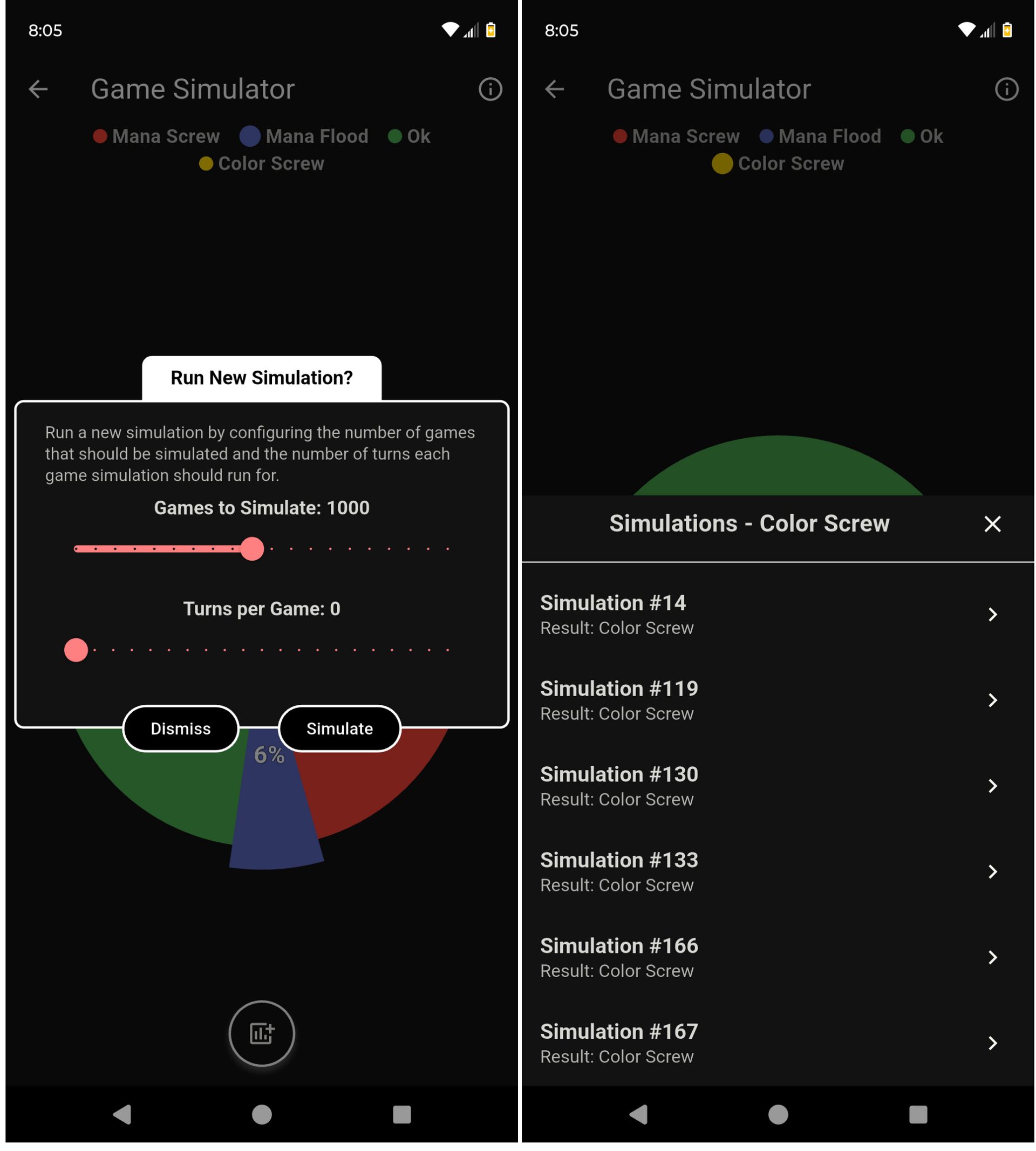
We made the simulation configuration more intuitive by providing some additional information about it while at the same time moving away from the entry boxes in favor of sliders. Additionally we made the action of viewing each simulation result part of this screen rather than requiring a navigation to a newer screen deeper into the app.

Lastly we made sure to include the same ability to view either the card image or card text for a given simulation result for those instances where network connectivity might not be ideal like at a convention.
Deck Appraiser
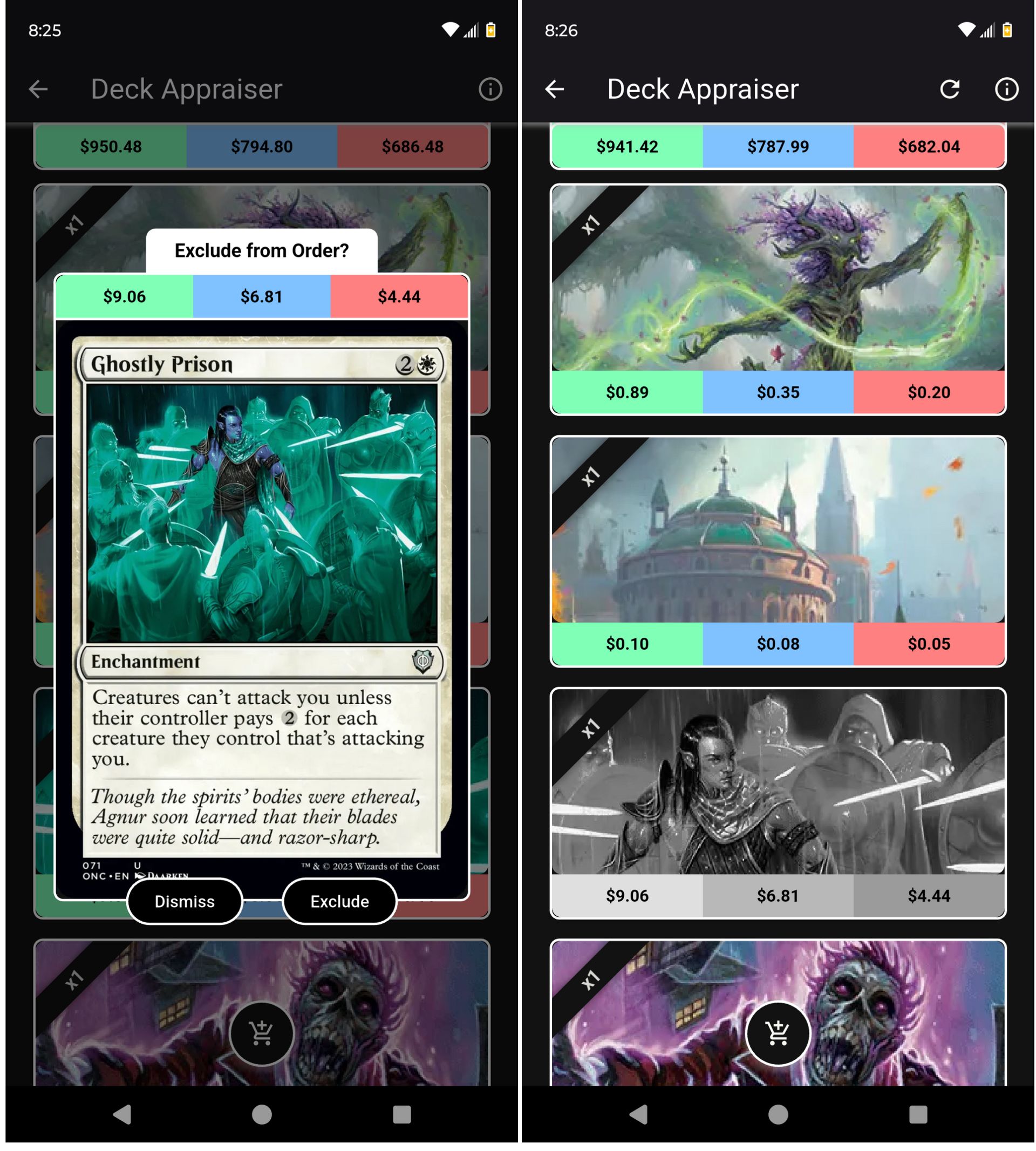
For the deck appraiser we decided to take a more visual approach than the original. We wanted to both showcase the card art while at the same time conveying information about the price of the deck and each card.

While re-designing this feature we also added the ability to toggle off cards that we don’t want included in the purchase order from TCG Player. In the original version the entire deck would be added to the mass entry system leaving us to then remove the cards that we didn’t want from the deck order at a later time. In this new version that operation can be done prior to making the mass entry request.
Deck Legality
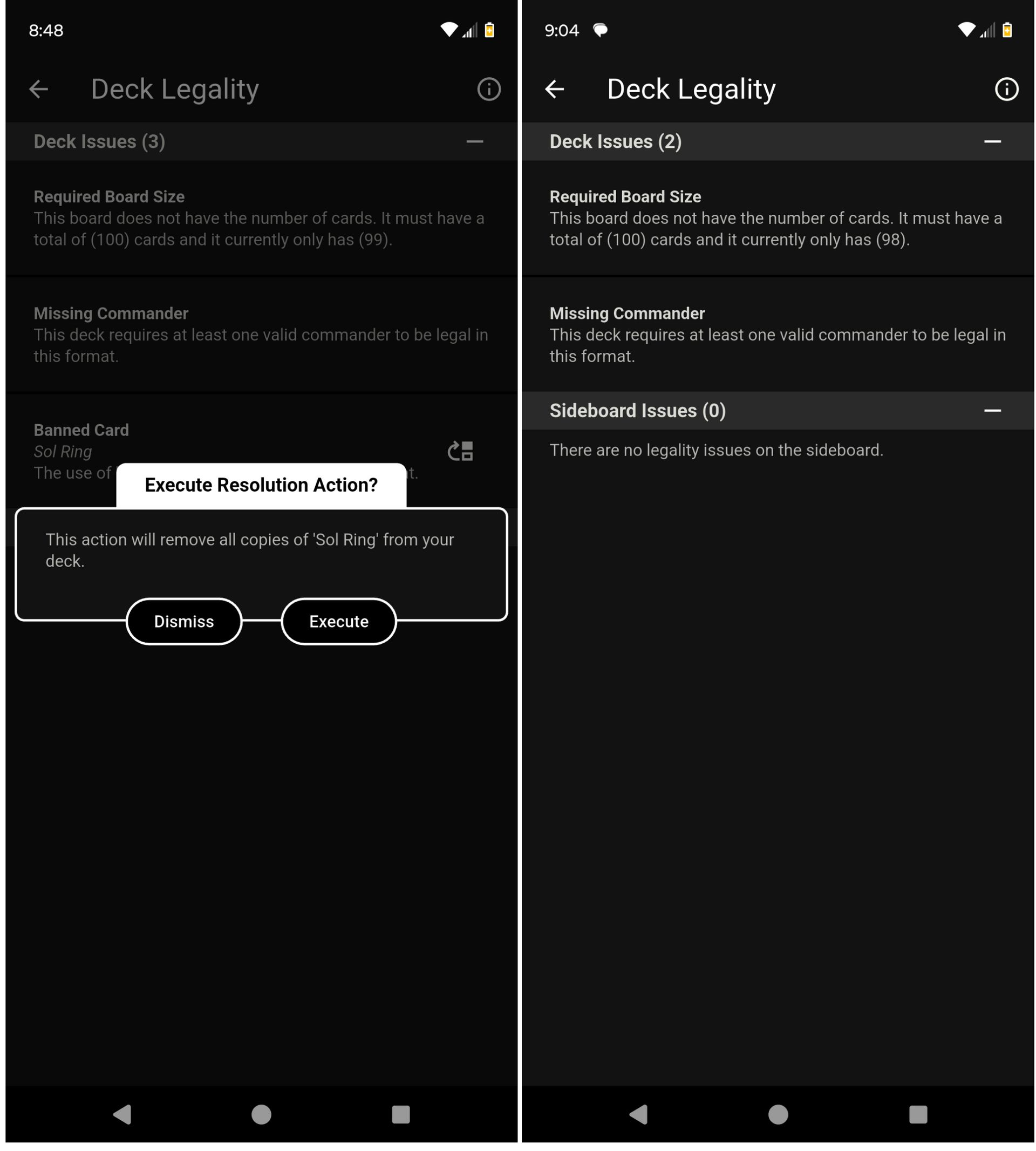
The last diagnostics tool that experienced the most improvements was our deck legality checker. In this new design we wanted to provide more information regarding each of the legality issues found and when possible also provide an automated resolution to reduce the interaction cost of bringing the deck into legal conformity.
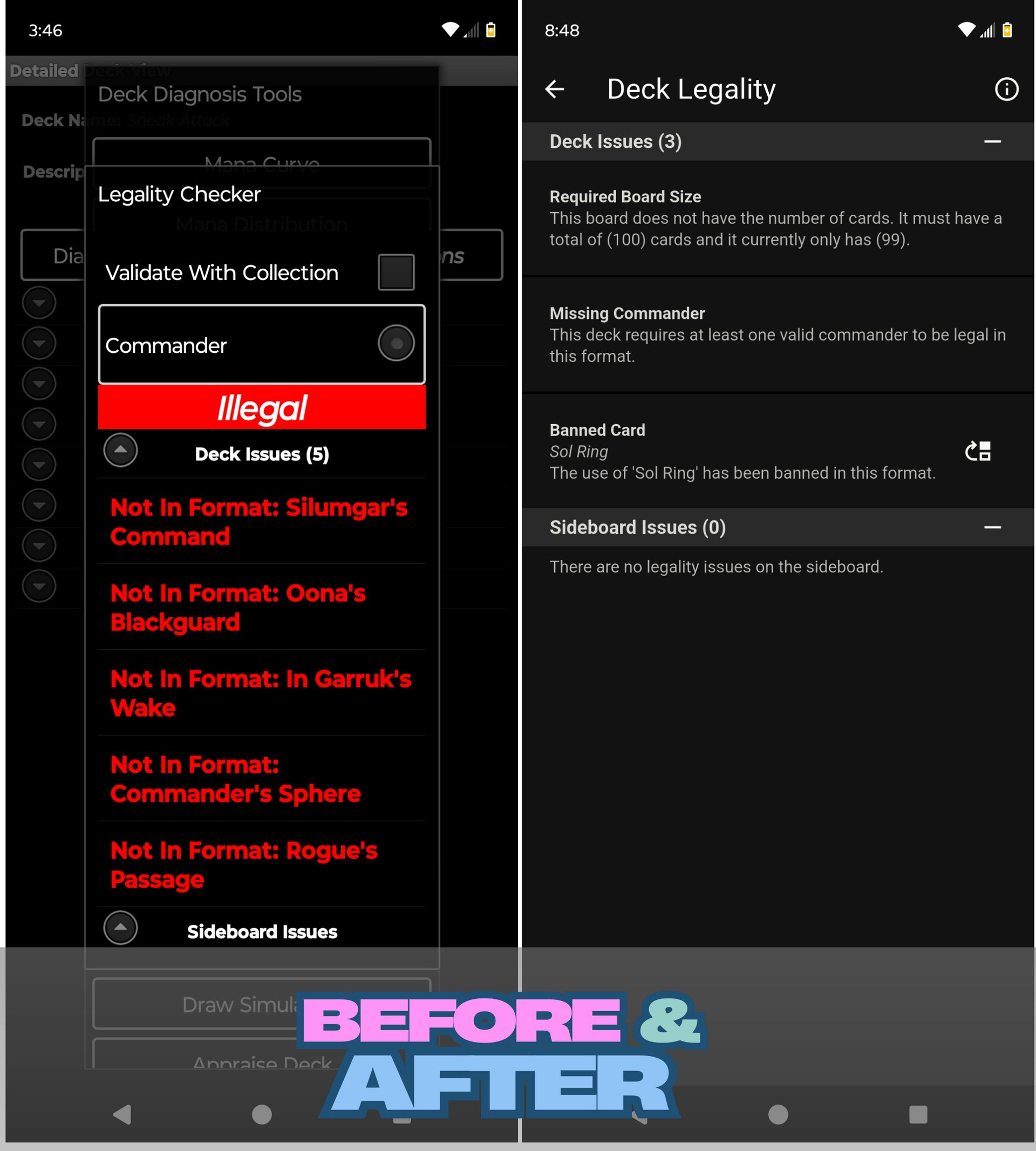
In this new design rather than requiring to manually remove or update the copies of a card to resolve the issue, whenever possible we provide an automatic resolution that can be executed with two interactions rather than requiring multiple interactions like in the original.
Closing Thoughts
Thank you for reading this far and for using MTG Doctor all these years. Whether it has been one year or the entire 12+ years MTG Doctor would not have grown into such a great tool as it has. Join us during future DevLogs as we continue to share the next generation of MTG Doctor built on over 12 years of experiences and lessons.
Enjoying these updates?
Join us during future DevLogs as we continue to share the next generation of MTG Doctor built on over 12 years of experiences and lessons.
Got a friend who would enjoy MTG Doctor and these updates? Let them know they can subscribe here.